


Mobiili_header


Axel Mobile Smoother self-service on the patient's own phone

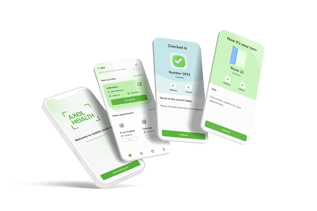
Axel Mobile Encounter is Axel Encounter's mobile solution that lets patients check in to a queue or an appointment using their own smartphone – without a separate self-service kiosk. The same familiar self-service experience now travels along in the patient's pocket.

Effortless to get started

Axel Mobile Encounter works in the web browser of any modern smartphone – no app installation required.

Getting started is effortless for both patients and staff – the same familiar, trusted elements from self-check-in kiosks are all there, even though self-service now runs on patients' own devices.

Mobile check-in flow

Why switch to a mobile self-service solution?

Read more about the benefits of the mobile solution on our blog.

Step-by-step process

Mobile check-in to a queue

potilas_ilmo2

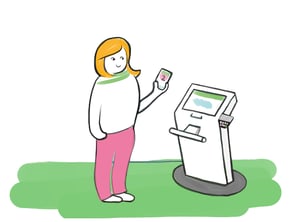
  1. The patient enters the check-in web address on their phone or scans a QR code.
  2. The patient selects the queue they want to join and enters their personal ID number if identification is required. The patient receives a queue number.
  3. The patient appears Axel Encounter's Professional's view with the status "Waiting." Staff then call the patient in.
  4. The patient sees their queue number on the information displays when called in.

mobiili


Mobile check-in for a scheduled appointment

  1. The patient receives an SMS with a check-in link 1–2 hours before the appointment.
  2. The patient identifies themselves and then sees more detailed information about that day's appointments. If the visit involves a fee, the patient pays it securely at this stage, using their preferred payment method.
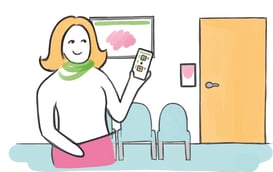
  3. When the patient arrives on site, they check in as arrived and receive a visit number on their phone. They typically also confirm their location by entering the lobby's confirmation code.
  4. The patient receives the visit number on their phone. If they are not in the correct waiting area, they are directed there and asked to confirm their location again.
  5. The patient appears in Axel Encounter's Professional's view with the status "Waiting." Staff then call the patient in.
  6. The patient sees their visit number on the info displays when called in. The patient also receives the call in notification on their phone.
  7. Once the appointment has ended, the application directs the patient to their next appointment or lets them know the visit is complete. If the visit included a fee, the patient can download a PDF receipt for the payment.

An agile mobile solution that scales to your needs

Professional_pink

Implementation

Axel Health's mobile solution is delivered on a turnkey basis. Getting started requires that the customer already has Axel Encounter's self-check-in features in place, since Axel Mobile Encounter builds on them. Technically, all that's needed is opening the network connections between the customer and Axel's servers.

Integrations

Configuration

Axel Health handles customer-specific configurations, along with the settings required for queue check-ins and SMS services. Content can be tailored per customer – for example, the customer organization's logo and name can be shown in the application.

Mobile_checkin

Architecture

Our mobile solution requires no separate app installation for patients and is ready to use immediately on all modern mobile devices. The solution integrates fully with the customer organization's existing infrastructure, regardless of the delivery model.

Interested?

Want to hear more about the benefits of Axel Mobile Encounter and our customers' experiences? Get in touch and we'll tell you more.